Updated for AI Search – 2026:
This guide has been refreshed to include AI-generated schema examples, LocalBusiness, Service and FAQ schema, plus step-by-step instructions showing how to add structured data using a HTML block. It’s designed to help small businesses understand how modern SEO and AI search work together.

This page is part of our AI-friendly SEO resource hub for local businesses.

Unlocking the Power of Local Business Schema for Enhanced SEO

An Easy To Follow Guide

Did you know adding Local Business Schema to your website can significantly enhance your visibility in local searches? It's a simple yet powerful way to tell search engines exactly where you're located and when you're open. Here's a quick guide to get you started and it's something you can do yourself.

Local Business Schema

Local Schema Explained Simply (AI-Friendly Summary)

What is Local Schema?
Local schema is structured data added to a website that helps search engines and AI tools understand business details such as location, services and contact information.

Does schema improve rankings?
Schema does not directly change rankings, but it improves how search engines interpret your content and can increase visibility in search features.

Can AI generate schema?
Yes. AI tools can safely generate JSON-LD structured data when provided with accurate business information.

Who is this guide for?
Small business owners, local service companies and website managers who want to improve visibility in Google and AI search results.

Part of the 121 Web AI-Friendly SEO Resource Hub

This guide connects with other practical resources designed to help small businesses improve visibility in Google and AI search results:

Understanding Local Business Schema Markup

In the ever-evolving landscape of digital marketing, staying ahead in local search results is crucial for businesses aiming to attract more customers. One powerful tool in this endeavour is the implementation of local business schema markup on your website. A short piece of code that is customised with your business details and added to your website. This blog post delves into the benefits of local schema and its impact on SEO and provides a step-by-step guide on how to add it to your website.

Keep reading! Below we supply some sample local business schema code that you can copy and edit. Keep reading until the end!

Generate Schema Markup Using AI (The Easy Method)

You no longer need to manually build JSON-LD schema from scratch. Modern AI tools can generate structured data safely when you give them clear instructions.

Step 1: Copy the example prompt below.

Step 2: Paste it into your AI tool.

Step 3: Replace the details with your own business information.

Example AI Prompt

Create valid JSON-LD schema markup for a local business website.

Business Name: [Business Name]
Location: [City, Country]
Website URL: [URL]
Services Offered: [List services]
Phone Number: [Phone]
Opening Hours: [Days + Times]

Include:
- LocalBusiness schema
- Service schema
- FAQ schema
- Review schema
- Website schema

Output only clean JSON-LD code ready to paste into a HTML block.

Important: After generating your schema, review the details carefully and test it using Google’s Rich Results Test before adding it to your website.

How to Add Schema Using a WordPress HTML Block

Once your AI tool generates the JSON-LD schema, adding it to your website is simple. You don’t need extra plugins if you’re comfortable adding it manually.

Step-by-Step Instructions

  1. Edit your page or post inside WordPress.
  2. Add a Custom HTML block.
  3. Paste the schema code inside.
  4. Update or publish your page.

Tip: Place schema near the bottom of your page content or in the footer area so it loads cleanly without affecting design.

None of your schema should be visible on the page. If it is something is wrong. Make sure you check it has the opening and closing script html are correct - like this <script type="application/ld+json"> YOUR CODE </script>

Step-by-Step Guide to Adding Local Schema

For WordPress Users:

Choose a Plugin: Select a reputable SEO or schema plugin like Rank Math (My Choice) Yoast SEO or Schema Pro.
Install and Activate: Install the plugin and navigate to its settings.
Add Your Schema: Use the plugin's interface to add your local business schema. Most plugins will guide you through entering your business details.

Adding Schema as HTML:

Create Your Schema: Use a schema generator to create your local business schema markup.
Locate the Right Spot: For HTML websites, add your schema code before the closing < / head> tag on your relevant pages. Althernatively use a HTML block to add the bottom of the page. You don't need to add it in the header. Whch ever is easiest. I just add it to the bottom of the page. 
Update Your Website: Insert the schema code into your HTML files. For the homepage, contact page, and service pages, place the schema in the HTML source code.

The Main Types of Schema Markup Businesses Should Use

Structured data helps search engines and AI systems understand what your website offers. Most small businesses don’t need every schema type — just the ones that clearly describe your services and answer real customer questions.

  • Website Schema – Defines your brand, homepage, and overall site structure so search engines understand who you are.
  • LocalBusiness Schema – Helps improve local visibility by providing business details such as location, contact information, and service area.
  • Service Schema – Explains what services you provide, making it easier for search engines and AI tools to match your website with relevant searches.
  • FAQ Schema – Allows your questions and answers to be understood clearly by search engines. This can improve how your content appears in search results and helps AI systems extract useful answers from your page.
  • Review Schema – Adds trust signals by highlighting ratings or feedback where appropriate, helping build credibility with both users and search engines.

Local Schema Sample

Copy the sample code below and replace the text with your business information.
<script type="application/ld+json">
{
  "@context": "https://schema.org",
  "@type": "LocalBusiness",
  "name": "[Your Business Name]",
  "address": {
    "@type": "PostalAddress",
    "streetAddress": "[Your Street Address]",
    "addressLocality": "[City]",
    "addressRegion": "[State/Region]",
    "postalCode": "[Postal Code]",
    "addressCountry": "[Country Code]"
  },
  "geo": {
    "@type": "GeoCoordinates",
    "latitude": "[Latitude]",
    "longitude": "[Longitude]"
  },
  "url": "[Your Website URL]",
  "telephone": "[Your Phone Number]",
  "openingHoursSpecification": [{
    "@type": "OpeningHoursSpecification",
    "dayOfWeek": ["Days Open"],
    "opens": "[Opening Time]",
    "closes": "[Closing Time]"
  }]
}
</script>

Need Help Adding Schema To Your Website?

Free Website Review

Not sure what schema your site needs? I offer a free website review where I’ll check your structure, local SEO signals and existing schema setup.

You’ll get clear feedback on what’s missing and what could improve your visibility in Google and AI search results.

Request Free Review

Done For You Schema Setup

If you’d rather not deal with JSON code or testing tools, I can implement the schema for you. All I need is your website address and I’ll review the pages and provide a fixed price.

  • Local Business schema
  • Service schema
  • FAQ schema
  • Website schema

Prices typically start from £149 depending on the number of pages and schema required.

Get a Quote

Prefer to learn and do it yourself?
That’s exactly why this guide exists. But if you’d like it handled properly and safely, I’m happy to help.

What Happens Next?

1. Send me your website link.
2. I review your pages and existing schema setup.
3. You receive a fixed price before any work begins.
4. I implement and test everything safely. Most schema setups are completed within 3–5 working days.

No access is required until you’re happy to proceed.

Google Search Console

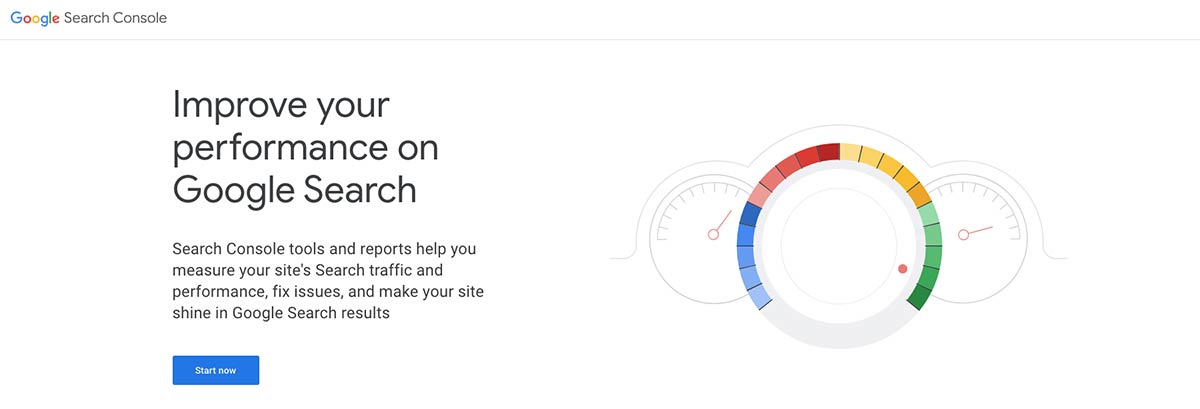
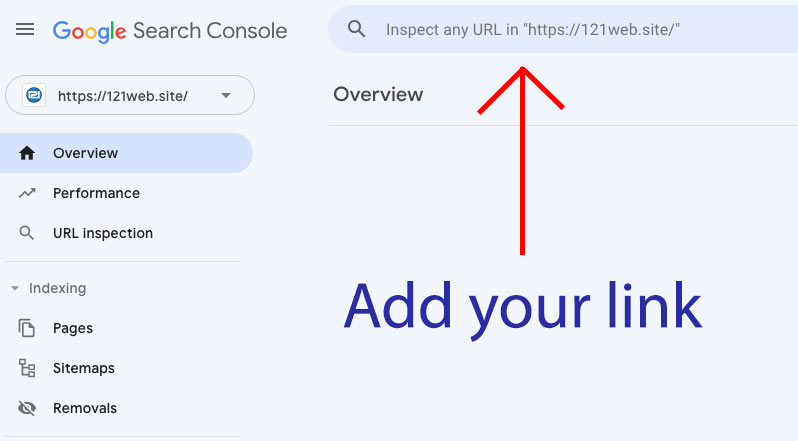
Once you've finished adding the schema to all the pages, you should resubmit your pages to Google Search Console. Asking for the page to be re-indexed by Google will help get your page discovered. Google Search Console is free and easy to use. Try it now. Click the button below or the Google Screen Grab below:

Try GSC Now

Unlocking the Power of Local Schema for Enhanced SEO Google Search Console Screen

Frequently Asked Questions About Schema & SEO

Want more answers? Visit the full FAQ page here: View All FAQs

Conclusion

Implementing local schema markup is a strategic move for any business looking to enhance its online presence and SEO. By providing search engines with detailed information about your business, you can improve your visibility in local search results, making it easier for potential customers to find you.

Follow the steps outlined in this guide to start leveraging the power of local schema on your website today.

Useful Links:

Google Rich Text - Test Page - Use this page to test your code.

Google Search Console - Use Google Search Console to check your pages have been indexed by Google.

Adding Your Webpage to Bing - Use this to add your webiste pages to Bing.
Want to know how local businesses climb Google faster? See our SEO Doncaster services and discover how we help websites move up the rankings.

More Reading

Struggling to get enquiries from your website? Our SEO support for Doncaster businesses focuses on visibility, leads and long-term growth.

Updated for 2026: This guide has been expanded to include AI in SEO, structured data and modern search strategies to help businesses stay visible as search continues to evolve.

How Do I Improve SEO

A Step By Step guide!

Are you wondering how to improve your SEO and get your website to the first page of Google? In this blog, I'll walk you through step-by-step examples of the exact strategies I used to rank my website for competitive keywords. Whether you're a beginner or looking to fine-tune your SEO skills, this guide covers everything from optimising your website's speed to using Google Business Profile effectively.

You'll learn actionable tips, real-world examples, and practical advice to boost your rankings. Plus, I'll share insider insights on how reviews, backlinks, and content updates can make a big difference. By the end, you'll have a clear roadmap to improve your SEO and attract more visitors to your site.

Let's get started!

How Do I Improve SEO

Search Engine Optimisation (SEO) has changed a lot in recent years. While fast websites, strong content and local visibility still matter, search engines are now using AI to understand and present information differently. This guide walks you through practical ways to improve your SEO step by step, from technical basics to modern strategies that help your website stay visible as search continues to evolve.

Blog Contents

How Do I Improve SEO

1 - Optimise Website Loading Speed

Website loading speed is crucial for user experience and search engine rankings. A slow-loading website can lead to higher bounce rates, negatively impacting your SEO performance. The first step is to know what your website load speeds are for both desktop and mobile, which are explained below.

How Do I Improve SEO

Actionable Steps:

  • Check Your Site's Speed: Use tools like Google PageSpeed Insights or GTmetrix to analyse your website's loading speed.
  • Compress Images: Large images can slow down your site. Utilise tools like TinyPNG or ImageOptim to reduce image sizes without compromising quality.
  • Enable Browser Caching: Implement caching mechanisms to store parts of your website in users' browsers, reducing load times on subsequent visits.

Rename Images

INFO TIP!

Rename images to incorporate relevant keywords and add then to their alt tags to improve SEO.

Use JPeg & WebP

INFO TIP!

These are the most common image formats, they can be compressed to a fraction of the size of PNG files.

For images, I use JPEG format with a compression setting of 40-60%, depending on the level of detail in the image. Highly detailed images may require slightly lower compression to maintain quality. To save time, I batch convert my images and typically create two sizes: a large version at 1000 pixels wide and a smaller version at 500 pixels wide, compressed to around 45%.

To optimise loading speed, I ensure all images are kept under 200kb. I also rename each image file to include the keyword I’m targeting for the page and add it to it's alt text. This not only improves SEO but also helps search engines better understand the content of the image.

Free Image Compression Tool

If you need to reduce image sizes, try using a free online tool like this:

Free Online Image Compression

Images taken on modern smartphones are often over 4000 pixels wide, which creates very large file sizes. Reducing them to under 300kb can be challenging, so the first step is usually compressing the image and saving it as a JPEG. Avoid using PNG files on websites unless transparency is required, as they tend to be much larger. Resizing images to a sensible width and keeping file sizes low will help your website load faster, which is something Google and other search engines value.

CDN - How Do I Improve SEO

2 - Content Delivery Networks (CDNs)

CDNs are becoming increasingly popular with hosting providers and can significantly speed up your website. They work by distributing your website's content across multiple servers worldwide, delivering it to users from the nearest server location.  

CDN Benefits

  • Faster load times for users across different geographical locations
  • Reduced server load and bandwidth costs
  • Improved website reliability and availability

Most hosting providers include CDN features and we're one of them! Check out our web hosting services here: Web Hosting Doncaster


How Do I Improve SEO How Do I Improve SEO

3 - Create High-Quality, Relevant Content

High-quality content is the cornerstone of SEO. It’s the primary way to attract and engage your target audience while signaling to search engines that your site provides real value. In today’s digital landscape, where content is being created at an unprecedented pace, it’s never been more important to focus on creating useful, engaging, and well-crafted material.

The rise of AI tools like ChatGPT has made it easier than ever to generate content quickly, but not all AI-generated content hits the mark. The key is to use these tools strategically—to assist in brainstorming ideas, refining language, or speeding up repetitive tasks—while ensuring that the final output truly adds value for your readers.

Remember, the goal is to keep your audience on the page by providing information that answers their questions, solves their problems, or teaches them something new. If your content is poorly written, irrelevant, or lacks depth, visitors will leave quickly, increasing your bounce rate and potentially harming your SEO efforts.

To make your content work for both users and search engines, focus on these essentials:

  • Add Value: Include actionable tips, unique insights, or real-world examples to make your content stand out.
  • Be Engaging: Use a conversational tone, clear structure, and visuals to make your content readable and enjoyable.
  • Prioritise Relevance: Align your content with your audience’s needs and ensure it stays on-topic.

How Do I Improve SEO with ai

By leveraging AI tools like ChatGPT, you can streamline your content creation process without sacrificing quality. Use AI to assist, but always inject your expertise, knowledge, and authenticity into the final product. The goal isn’t just to produce content—it’s to produce content that matters.

How Do I Improve SEO actionable steps

Actionable Steps:

  • Conduct Keyword Research: Identify topics your audience is interested in using tools like AnswerThePublic or Ubersuggest.
  • Develop a Content Strategy: Plan and create content that addresses your audience's questions and problems.
  • Update Existing Content: Regularly refresh your content with new information to keep it relevant. I'm posting one to two new blogs a month at the moment with lots of social media posts linking back to them. 

Keyword Strategy Tips

INFO TIP!

Focus on long-tail keywords that have lower competition but higher conversion potential.  Create content around those keywords to improve rankings.

For a deeper dive into keyword strategies, read our guide: Mastering Keywords: A Non-Technical Guide for Business Owners

Using tools like Ubersuggest and SEMrush can make keyword research much easier and more effective. These tools analyse search data to provide valuable insights, including how many people search for a specific keyword each month and how competitive it is to rank for that keyword.

One of the key metrics these tools offer is SEO Difficulty, which ranges from 0 to 100. A higher score indicates a more competitive keyword that will be harder to rank for, while a lower score represents easier opportunities. For most websites, especially those just starting out or targeting niche audiences, it's best to aim for keywords with a difficulty score of 40 or below while still having a high search volume. These are often referred to as "low-hanging fruit" and can drive meaningful traffic without excessive effort.

Here’s how to maximise these tools:

  • Find Relevant Keywords: Input broad topics related to your business or website, and let the tools generate a list of suggestions.
  • Focus on Search Volume: Choose keywords that have consistent monthly searches to ensure you're targeting terms people actively look for.
  • Assess Competition: Look for keywords that balance low difficulty with high intent. For example, a keyword like "affordable SEO services Doncaster" might have fewer searches but is more likely to convert if it matches your offerings.
  • Analyse Competitors: Both Ubersuggest and SEMrush allow you to see what keywords competitors are ranking for, helping you identify potential gaps in your strategy.

With the rise of content saturation online, selecting the right keywords has never been more critical. These tools save time and provide data-driven direction, enabling you to focus on keywords that align with your audience's needs while giving you a competitive edge.

By using these insights and targeting achievable keywords, you’ll position your site to rank higher in search results and attract the right visitors to your pages.

Not sure if your SEO is working?

I offer a free 5-minute SEO Reality Check where I look at your site
and tell you exactly what’s helping or holding you back.

Get Your Free SEO Review

How Do I Improve SEO with https

4 - Optimise On-Page Elements

What is On-Page SEO?

On-page SEO refers to the practice of optimising individual web pages to help search engines understand your content and improve your chances of ranking for target keywords. Unlike off-page SEO, which involves external factors like backlinks, on-page SEO is entirely within your control. By making small but strategic changes to your content, structure, and layout, you can significantly boost your site's visibility in search results.

These adjustments may seem minor, but they play a critical role in helping search engines like Google determine the relevance and quality of your content. Below are some simple yet powerful on-page elements you can optimise to make a big difference in your SEO results.

What is an H1 Tag?

INFO TIP!

An H1 tag is an HTML element that defines the main heading of a web page. It's crucial for SEO as it signals to search engines and users what your page is about. While all web pages are built with HTML, modern platforms like WordPress make it easy to edit without directly touching the code.

In WordPress, headings can be selected using the editor, but they may not always be labelled as "H1." To ensure proper SEO, make sure only one title on your page is set to H1. If you're using a page builder like Elementor, you can assign the H1 tag through its dropdown options.

Always check your headings to ensure only one H1 tag is used per page to avoid confusing search engines and maintain a clear structure.

How Do I Improve SEO actionable steps

Actionable Steps

Use One H1 Tag Per Page:

  • Each page should have only one H1 tag, as it signals the main topic of the page to search engines.
  • Your H1 should include your primary keyword and clearly describe the content of the page. For example, if your keyword is "How to Improve SEO," your H1 might be "How to Improve SEO: A Complete Guide."
  • Avoid using multiple H1 tags, as this can confuse search engines and dilute your page's focus.

Structure Content with Subheadings (H2, H3, etc.):

  • Break your content into logical sections using subheadings.
  • Include your target keyword or related keywords naturally in some of these headings to reinforce the page’s topic. For example:
    • H2: "Simple On-Page SEO Tips to Improve Rankings"
    • H3: "Why Keywords Matter in Subheadings"
  • This structure not only improves readability for users but also helps search engines understand your content's hierarchy.
  • Write meta descriptions that summarise your content and include a call-to-action, keeping them under 155 characters.
  • Add relevant Meta Tags to each page that are unique to that page. 
  • Use internal linking to connect related content on your site. 
  • Optimise URLs:

    • Create short, descriptive URLs that include your target keyword.
    • For instance, instead of using yourdomain.com/page123, opt for yourdomain.com/how-to-improve-seo.
    • This practice makes your URLs more user-friendly and search-engine-friendly.

  • Add Keywords Naturally in Plain Text:

    • Include your primary and secondary keywords throughout the body of your content. However, make sure they fit naturally within the text and context.
    • For example, instead of writing, "SEO improve SEO how to improve SEO," write: "SEO is essential for improving your website’s visibility. Here’s how to improve SEO effectively."
    • Remember that AI now evaluates keyword placement, so keyword stuffing can harm your rankings instead of helping.

  • Write for Readers, Not Just Search Engines:

    • While optimising for search engines is important, your primary audience is human readers. Make sure your content is engaging, easy to read, and answers the user's intent.
    • Tools like Grammarly or Hemingway Editor can help ensure your content is clear and concise.

What Are Meta Tags and Meta Descriptions?

INFO TIP!

Meta tags and meta descriptions are snippets of HTML code that provide search engines with information about your page. The meta title acts as the page's headline in search results, while the meta description is a brief summary that appears below it.

Although some people argue they aren’t essential, I 100% recommend using them. Meta tags are an additional way to clearly communicate your page's purpose to search engines rather than leaving it up to AI or search algorithms to guess. If you follow the instructions in this article, your meta tags and descriptions will accurately reflect your page content, making them highly effective for SEO.

To add meta tags in WordPress, you’ll need an SEO plugin. Simply search for "meta tags" in the WordPress plugin directory and choose a popular option like Yoast SEO or Rank Math. These tools make it easy to customise your meta tags and descriptions for each page.

By taking this small but powerful step, you’ll have better control over how your content appears in search results and improve your chances of ranking higher.

Why AI Makes Natural Keyword Placement Essential

Google’s algorithms, powered by AI, have become highly advanced at detecting unnatural keyword use. Keyword stuffing or placing keywords in random, irrelevant parts of your content will likely lead to penalties or lower rankings. Instead, focus on creating high-quality, informative content where keywords blend seamlessly into the text.

How Often Should You Optimise On-Page Elements?

  • Initial Setup: Perform on-page optimisation when creating or updating a page.
  • Review and Update: Revisit your pages every 3-6 months to ensure they remain optimised for current keywords and trends.

By properly optimising your on-page elements and maintaining a logical structure, you’ll not only make your content more accessible to search engines but also enhance the user experience, encouraging visitors to stay longer and engage with your site.

Unlocking the Secrets of SEO: A Beginner's Guide

Read more about SEO in our beginners guide that introduces you to the basics of SEO including Meta Tags and Keywords, it's HERE

Read More

CONTACT US WITH ANY QUESTIONS

Contact Us

How Do I Improve SEO with https

5 - Secure Your Website with HTTPS

In today’s online world, HTTPS isn’t optional—it’s essential. It’s critical for building trust with users, protecting sensitive data, and meeting search engine requirements. Modern web browsers now actively warn users when visiting websites without a valid SSL certificate, labeling them as "Not Secure." These warnings can discourage visitors and drive traffic away from your site.

The good news is that most hosting providers, including ours, handle this automatically for you. For example, with our hosting services, every website comes with a free SSL certificate pre-installed, so you never have to worry about it. If your hosting provider doesn’t offer this, it’s time to upgrade or switch—this is something you can’t afford to overlook.

Read more about our hosting and what's included here.

how to improve your actionable steps

Actionable Steps:

  1. Obtain an SSL Certificate:

    • Most modern hosting providers offer free SSL certificates. If yours doesn’t, consider moving to a hosting service that does.
  2. Implement HTTPS Across Your Site:

    • Ensure every page on your website is served securely. Tools like Why No Padlock? can help you identify mixed content issues where some elements may still load via HTTP.
  3. Update Internal Links:

    • Go through your site and update all internal links to use HTTPS. This ensures a seamless and secure browsing experience for your visitors.

Why HTTPS Matters

  • Encryption and Security: SSL encrypts data exchanged between the user’s browser and your server, protecting sensitive information like login details and payment data.
  • Trust and Credibility: Web browsers warn users when a site lacks SSL, which can lead to a loss of trust and decreased traffic.
  • SEO Benefits: Google uses HTTPS as a ranking factor, giving secure sites a slight boost in search engine results.

how to improve your SEO with https

By securing your website with HTTPS, you’re not just protecting your visitors—you’re also improving your SEO and demonstrating professionalism. If you’re looking for a hosting provider that makes this process seamless, check out our Web Hosting Services. It’s an effortless way to ensure your website stays secure and trusted.

how to improve your SEO with your Google Business Profile

6 Your Google Profile (GBP)

how to improve your SEO with your Google Business Profile

Your Google Business Profile (GBP) is a cornerstone of local SEO. It directly influences how your business appears in local search results and on Google Maps, playing a significant role in driving traffic and attracting customers. When optimised effectively, your profile can set you apart from competitors and give you the edge needed to stand out in local searches.

how to improve your actionable steps

Actionable Steps:

  • Post Regular Updates:

    • Share updates about offers, new blog posts, or company news at least weekly. Active profiles not only engage users but also signal to Google that your business is relevant and current. I recommend posting twice a week! Post reviews and snippets for website pages that add value or highlight services. 

  • Optimise for Keywords:

    • Include relevant keywords in your GBP description and posts. For example, if you’re targeting "SEO Services Doncaster," ensure this phrase appears naturally in your updates and descriptions.
  • Encourage and Respond to Reviews:

    • Reviews are a game-changer for local SEO. Use a tool like ReviewEase to streamline your review process. It allows you to send polite, systematic requests for customer reviews, making it easier to consistently collect feedback.
    • Respond to all reviews, whether positive or negative, to show customers you value their feedback. This again shows Google that you are active and your profile is being used!

  • Use Keywords in Customer Reviews:

    • Encourage customers to mention specific services or products in their reviews. For example, a review mentioning "affordable web design" or "SEO services" can improve visibility for those keywords in local searches.

Reviews Are Used in Search Engine Results Pages

INFO TIP!

Google now factors reviews into search rankings, making relevant, positive feedback more important than ever. Reviews that mention specific services can even appear in search results.

Boost your reviews and climb the rankings with ReviewEase.biz.

More Info

how to improve your SEO with Google

The Power of Google Reviews

  • Boost Local SEO: Google heavily factors reviews into local rankings. More reviews, especially positive ones, improve your visibility in local searches.
  • Increase Credibility: Reviews help potential customers decide if they can trust your business. A higher star rating often translates into more clicks and conversions.
  • Appear in SERPs: Google often pulls reviews into search results, including aggregated star ratings. This not only improves your listing’s appearance but can also increase your click-through rate. Learn how to add Google review stars to your SERPs by reading this guide.
  • Photos Enhance Visibility: Reviews that include customer-uploaded photos tend to perform better in local rankings and draw more clicks.

To make the most of Google’s power, you need a reliable method to request and generate Google Reviews consistently. If you’re not doing this, you’re missing out on a huge opportunity to boost your visibility and climb the rankings. Learn how to streamline your review process and maximise your SEO potential by reading more at ReviewEase.

How Do I Improve SEO with backlinks

7 - Build High-Quality Backlinks

Backlinking is one of the most powerful elements of SEO. A backlink is a link from another website to yours, signaling to search engines that your site is valuable and trustworthy. The more high-quality backlinks you have, the better your chances of ranking higher in search results. However, not all backlinks are created equal—it’s essential to focus on quality over quantity.

Here’s how you can start building backlinks effectively:

how to improve your actionable steps

Actionable Steps to Build Backlinks:

  • Analyse Your Competitors’ Backlinks:
    • Use tools like Ubersuggest to see where your competitors are getting their backlinks.

    • Identify relevant, high-authority sites they’re linked to and determine if you can secure links from the same sources. This might involve writing guest posts, submitting your business, or building partnerships.

  • Submit to Free Business Directories:
    • Listing your website on reputable directories not only helps with backlinks but also increases your visibility to potential customers. Start with sites like:

    • Ensure your business details are accurate and consistent across all listings to improve local SEO.

  • Leverage Social Media for Backlinks:
    • Social media platforms are invaluable for backlinking. Create posts that are engaging but leave the audience wanting more—encouraging them to click a link to your blog or website for the full answer. For example, if your blog is about "SEO Tips for Beginners," your post could be:
      "Did you know one simple SEO trick can boost your ranking overnight? Find out how in our latest blog—click the link!"

    • Share your content on Facebook, Twitter, LinkedIn, and other platforms regularly. These links not only drive traffic but also signal engagement to search engines.
    How Do I Improve SEO with backlinks

    Why Backlinks Matter

    • Improve SEO Authority: Backlinks from reputable sites boost your domain authority, signaling trust to search engines.
    • Drive Referral Traffic: A well-placed backlink on a high-traffic site can bring new visitors directly to your page.
    • Social Engagement Signals: Social backlinks demonstrate user interest and activity, adding an extra layer of SEO value.

    Backlinks are essential for building your site’s credibility and visibility, but they require consistent effort and strategic planning. By using tools to analyse competitors, submitting to relevant directories, and leveraging social media effectively, you’ll start seeing noticeable improvements in your rankings.

    Ready to maximise your backlink strategy? Let us help! Learn more about our tailored SEO services at 121 Web Site. Together, we can build a strong backlink profile that drives results.
    how to improve your SEO with google search console

    8 - Harness the Power of Google Search Console

    Google Search Console is a free, must-use tool for anyone serious about improving their SEO. It allows you to monitor your website’s performance in search results, submit individual pages for indexing, and upload a sitemap to help Google understand your site structure, which you should do once you've made any changes. 

    Find out more from Google here

    how to improve your actionable steps

    Actionable Steps:

    1. Create and Submit a Sitemap:

      • A sitemap is a file that lists all the pages on your website, ensuring Google can find and index them.
      • Use free tools like XML-Sitemaps or an SEO plugin to generate your sitemap.
      • Once created, submit it to Google Search Console to make sure your pages are discoverable.
    2. Submit Individual Pages:

      • When you publish new content, log into Search Console and submit the URL for faster indexing. This is particularly useful for new pages or blogs that you want to appear in search results quickly.
    3. Keep Your Sitemap Updated:

      • Regularly check and update your sitemap to include any new pages or remove outdated ones. Most sitemap generators update automatically, but it’s always good to verify.

    Google Search Console is a game-changer for improving your SEO and monitoring your progress. It’s simple to use, powerful, and absolutely free. To learn more about this tool and others, check out our guide: The Best SEO Tools for Beginners.

    SEO Tools Blog

    How Do I Improve SEO recommended reading

    9. AI in SEO: What’s Changing and How to Stay Ahead

    Search is evolving quickly. Google is introducing more AI-powered answers and summaries, which means websites need to be clearer, better structured and easier for machines to understand. Traditional SEO still matters, but modern SEO now includes preparing your website for AI-driven search.

    How AI is Changing Search

    Instead of showing only a list of websites, search engines are beginning to summarise information directly in results. This means your content needs strong structure, clear headings and useful information that AI systems can interpret easily.

    Why Schema and Structured Data Matter

    Schema helps search engines understand what your business does, where you operate and which services you offer. Adding structured data makes your website easier for both Google and AI tools to read. If you want to dive deeper into local structured data, you can read my guide here:

    Unlocking the Power of Local Schema for Enhanced SEO

    Different Types of Schema and Why They Matter

    Schema isn’t a single piece of code that covers your whole website. Different pages often need different types of structured data depending on their purpose. For example, LocalBusiness schema helps search engines understand your location, Service schema explains what you offer, while Product, Review and FAQ schema can enhance specific pages with richer search results.

    The key is relevance. Each page should use the schema that best matches its content rather than trying to apply one setup across the entire site. A well-structured website may include multiple schema types working together to give search engines a clearer picture of your business.

    Using AI to Help Build Schema

    You don’t need to write structured data from scratch anymore. AI tools can help generate schema code quickly when you provide the right information. For example, you can prompt AI with details about your business services, location and contact information to create a starting point, which can then be refined before adding it to your website.

    • “Create LocalBusiness schema for an electrician in Doncaster including services and opening hours.”
    • “Generate FAQ schema from this list of customer questions.”
    • “Create service schema for a removals company offering house and office moves.”

    Preparing Your Website for AI with an LLMS File

    As AI search tools become more common, websites can include an LLMS.txt file to help AI systems understand how content should be interpreted. Think of it as a guide that gives structure and context to your website beyond traditional SEO signals.

    An LLMS file usually sits in the root of your website and outlines key areas such as services, content topics and important pages. While it doesn’t replace SEO, it supports modern search by making your site easier for AI-driven platforms to read and summarise.

    Creating one doesn’t need to be complicated. Many website owners now use AI tools to help draft an LLMS file by describing their business, services and target audience, then refining the output before uploading it to their site.

    Staying Future-Ready

    Modern SEO isn’t about chasing tricks or shortcuts. It’s about building clear, structured websites that both people and AI systems understand. Adding schema, improving content structure and keeping information up to date helps your site stay visible as search continues to evolve.

    How Do I Improve SEO recommended reading

    10 - Recommended Reading

    To further enhance your SEO knowledge, here are three recent and relevant articles:

    • "The Ultimate Guide to SEO in 2024" by Search Engine Journal
      Summary: This comprehensive guide covers the latest SEO trends, including AI-driven search, voice search optimisation, and the growing importance of user experience signals. It provides actionable tips for staying ahead in the ever-evolving SEO landscape.
      Read the full article

    • "10 SEO Techniques to Dominate Google Rankings in 2024" by Neil Patel
      Summary: Neil Patel shares cutting-edge SEO techniques, focusing on content optimisation for featured snippets, leveraging video SEO, and utilising schema markup. The article also discusses the impact of Core Web Vitals on rankings and strategies to improve them.
      Read the full article

    • "The Future of SEO: Predictions and Strategies for 2024 and Beyond" by Moz
      Summary: This forward-looking piece explores emerging SEO trends, including the rise of visual search, the importance of E-A-T (Expertise, Authoritativeness, Trustworthiness) in content creation, and the increasing role of natural language processing in search algorithms.
      Read the full article

    How Do I Improve SEO - faqs

    11 - Frequently Asked Questions

    What is SEO?
    SEO stands for Search Engine Optimisation, a practice that helps improve your website’s visibility on search engines, making it easier for potential customers to find your business online.

    How long does SEO take to show results?
    SEO is a long-term strategy that requires patience and consistent effort for sustained success. While it typically takes 3-6 months to see noticeable improvements, consistent and strategic actions can accelerate results. By following the tips in this blog, you could see meaningful progress as early as month two, with potential breakthroughs by month four.

    For example, we achieved an incredible leap, moving from a position beyond 100, where we didn’t even register in search results, to page one within just four months. This was the result of a focused, consistent SEO approach.

    Want to know how we did it? Learn more on our SEO Service Page and discover how we can help you achieve similar success!

    What is the best free tool for SEO beginners?
    Google Search Console is one of the best free tools for beginners to monitor and improve SEO performance. I also recommend Hike, and you can read more about it in our SEO Tools Blog. We also offer 50% off your first month so you can try it yourself.

    How do I find the right keywords?
    Use tools like Ubersuggest to identify low-competition keywords that are relevant to your audience. There are many tools available, so it’s important to find one that suits how you work.

    How often should I update my content?
    Updating your content regularly helps keep your website relevant and improves visibility. Adding new blogs or refreshing existing pages once or twice a month is a strong starting point. After publishing, create smaller content snippets for social media to extend the reach of each post.

    Why are reviews important for SEO?
    Reviews improve credibility and influence local search rankings. They also provide natural keyword-rich content that can appear in search results. Have a look at www.reviewease.biz for a more in-depth explanation.

    What is AI SEO and does it replace traditional SEO?
    AI SEO focuses on helping search engines understand your content through structure, clarity and context. It doesn’t replace traditional SEO like fast websites and strong content, but it adds another layer that helps modern search engines interpret your pages more effectively.

    Do I need different schema for every page on my website?
    Yes. Schema should match the purpose of each page. A local business page may use LocalBusiness schema, while service, product or FAQ pages use different structured data. Using the right schema for each page helps search engines understand your website more clearly.

    What is an LLMS file and do small businesses need one?
    An LLMS.txt file helps AI-driven search tools understand your website’s structure and content themes. It isn’t essential for every website yet, but it is becoming part of modern SEO as AI search continues to grow.

    Can AI help create schema markup safely?
    AI tools can help generate structured data quickly when you provide clear information about your business and services. The output should always be reviewed before adding it to your website to ensure it remains accurate and relevant.

    How often should I review my SEO strategy?
    SEO should be reviewed regularly as search engines evolve. Updating content, improving structure and adapting to AI-driven search trends helps keep your website visible and competitive over time.

    If you'd rather skip the guesswork, I can review your website and show you where the quickest SEO wins are hiding.

    Free Website Review

    Conclusion

    SEO is a journey, not a one-time task. This blog has only scratched the surface of what it takes to improve your rankings and drive traffic to your site. While these strategies can help you get your page to rank better—and even reach page one, like we have—keeping it there requires consistency. Regular updates, ongoing optimisations, and fresh content are essential to staying ahead of the competition.

    Remember, SEO isn’t just about impressing search engines; it’s about creating a valuable experience for your users. By focusing on their needs and preferences, you’ll not only improve your rankings but also build trust and engagement with your audience.

    If you’re looking for professional SEO support, we offer tailored SEO packages designed to help you climb the rankings and stay there. For more information about our services, visit 121 Web Site and discover how we can help you achieve your digital goals.

    Let’s take your SEO to the next level—consistently and effectively!

    More Reading

    Struggling to get enquiries from your website? Our SEO support for Doncaster businesses focuses on visibility, leads and long-term growth.

    See All Blogs

    How to Get More Reviews: The Simple System Every Small Business Needs

    TL;DR — How to Get More Reviews (Fast)

    • Reviews are a growth engine. Google now shows them directly in search, so more reviews = more visibility.
    • Small businesses rarely ask for reviews — but should. A simple process can 10x how many you get.
    • Service delivery is Step 1. You can’t expect 5-star reviews without giving 5-star service.
    • Mention reviews naturally during the job. This plants the seed and sets expectations.
    • Follow-up is where the magic happens. Send a short thank you text or email with your Google/Facebook review link.
    • Collect emails/phones when possible. It lets you thank customers properly and ask for a review the right way.
    • If you have staff: train them, create incentives, and reward those who get mentioned in reviews.
    • Use Google & Facebook at minimum. Or make life easier with ReviewEase to send requests and reply with AI.

    Introduction

    Most small businesses leave reviews to chance. A customer might leave one if they remember, but there’s no real system. The problem is that Google and Facebook reviews now show up everywhere – especially in Google’s search results – so having lots of fresh, positive reviews has never been more important.

    The good news? You don’t need fancy software to get started. With just your Google Business Profile and a Facebook page you can build a simple, repeatable review system that fits around your day and steadily grows your reputation.

    Why Reviews Matter More Than Ever

    When someone searches for your business – or the service you offer – Google often shows your star rating and review count right there in the results. Those stars appear in Google Maps, the local “3 pack” and your business profile panel. On Facebook, reviews act as social proof when people are checking you out before they message or call.

    If you only have a handful of reviews – or they’re years out of date – you look less established and less trusted than a competitor who has recent, detailed reviews that mention exactly what they had done.

    You Don’t Need Software to Start (But It Helps)

    To begin, all you really need are:

    • An active Google Business Profile (with a short review link)
    • A Facebook page with reviews switched on
    • A simple way to collect customer emails or mobile numbers

    From there you can start asking, thanking, and reminding – all manually – and you will see your reviews grow. Later, tools like ReviewEase make this much easier by letting you send review requests and reply to reviews with AI, all from one place. ReviewEase connects to popular platforms like Google, Facebook and TripAdvisor (plus many others), so you can manage everything in one simple dashboard.

    Use Your Downtime to Grow Reviews

    Every business has quieter moments: between jobs, no-shows, gaps in the diary, or those slower afternoons. That “dead time” is perfect for review work.

    Use it to:

    • Gather customer emails and mobile numbers from past jobs.
    • Send quick “thank you for using us” messages.
    • Ask politely for a review with a direct link to your Google or Facebook review page.

    Email is often best because you have room to explain how important reviews are for local businesses and how much they help you stand out. A friendly, honest explanation goes a long way.

    Build a Simple Review System Around the Customer Journey

    Have you ever actually mapped out when and how you ask for reviews? Most businesses haven’t – they just hope people will leave one. Instead, think about your customer journey and where reviews naturally fit.

    Phase 1: Set Clear Expectations

    Reviews start long before you send a link. If you don’t deliver a five-star service, you can’t expect a five-star review. So the first phase is simply:

    • Be clear about what you will do, when you will do it, and what it will cost.
    • Turn up on time (or keep the customer informed if you’re delayed).
    • Be friendly, helpful and easy to deal with.

    The more accurately you set expectations at the start, the easier it is for a customer to honestly say, “They did exactly what they promised.”

    Phase 2: Deliver the Service

    This is where your review “story” is really written. Do the job well, communicate clearly and make the experience as stress-free as possible. During the work or service, you can gently mention reviews in a natural way, for example:

    “If you’re happy with everything when we’re done, a quick Google review really helps us as a local business.”

    No pressure, just planting the seed. Many customers simply don’t realise how important reviews are until you tell them.

    Phase 3: Completion or Delivery

    When the job is finished and the customer is happy, this is the perfect moment to ask again. You might say:

    “Thank you for choosing us today. If you have a minute later, a quick Google or Facebook review would be amazing. I’ll pop the link on your invoice / card for you.”

    If you have staff, give them a simple script and a way to make it easy – for example:

    • A small card with a QR code and short link to your review page.
    • A line they can use: “If you mention my name in the review, it really helps me too.”

    Motto: Train to improve and you will improve. Fail to prepare, and you prepare to fail. A little review training can transform your results.

    Phase 4: Follow Up and Say Thank You

    Within 24–48 hours, send a quick follow-up by text or email. Keep it friendly and simple:

    • Thank them for choosing your business.
    • Remind them that reviews really help local businesses like yours.
    • Include a direct link to your Google or Facebook review page.
    • Ask them to mention the service they had and (if relevant) their town.

    For example, if you are a plumber, you might want reviews that say things like “boiler service in Doncaster” or “new bathroom installation in Bessacarr”. These details not only help future customers, they can also help with search visibility.

    Phase 5: Gentle Reminder (Optional)

    Not everyone will leave a review the first time. That’s normal. If you want, you can send one gentle reminder after a week. If they still don’t leave a review, let it go – you don’t want to annoy good customers by chasing too hard.

    The key is to make it easy and not pressure people. A friendly nudge plus a direct link is often all they need.

    Training Your Team and Rewarding Reviews

    This system works whether you’re a sole trader or have a big team. If you have staff, it’s worth creating a simple “review program”:

    • Run a short training session on how to ask for reviews naturally.
    • Give everyone their own review cards or links they can hand out.
    • Track reviews where customers mention a team member by name.
    • Offer small bonuses or rewards for staff who consistently get named in positive reviews.

    This keeps everyone focused on delivering five-star service and asking in a friendly, confident way.

    Put Your Review Links Everywhere

    Make it as easy as possible for customers to leave a review. Add your Google and Facebook review links to:

    • Invoices and receipts
    • Business cards and review cards
    • Email signatures
    • Your website contact or thank-you page
    • Your social media profiles and posts

    You can even add QR codes in your shop, on your van, or on printed materials so people can scan and review you on the spot.

    Bringing It All Together

    You don’t need a complicated marketing funnel to get more reviews. You just need a simple process, a bit of training, and the discipline to keep doing it.

    Start with what you already have: Google and Facebook. Map out your customer journey, decide where you will ask, and use your downtime to send thank-yous and review links. Even a handful of extra reviews each month adds up fast.

    When you’re ready to make things easier, ReviewEase can help you:

    • Send review requests by email or SMS
    • Collect reviews from Google, Facebook, TripAdvisor and more
    • Reply to reviews quickly using AI suggestions

    Whether you stick with a simple manual system or upgrade to software, the most important thing is this: have a process. When you train for reviews, prepare for them, and keep asking in the right way, your review count – and your enquiries – will grow.

    More Reading

    Struggling to get enquiries from your website? Our SEO support for Doncaster businesses focuses on visibility, leads and long-term growth.

    Create a Month of Facebook Posts for Your Business Using AI

    Fast. Easy. Effective. Free Guide

    <h1>Create a Month of Facebook Posts for Your Business Using AI</h1>

    TL;DR – What this free guide does

    This guide shows you how to create a full month of Facebook posts for your business in minutes using AI.

    • Create 3 Facebook posts per week for 30 days
    • Write posts that are useful and natural, not forced or salesy
    • Generate a matching image idea for every post
    • Reuse the same process every month

    No writing skills. No technical knowledge. Just a few minutes and the right prompts.

    Who this guide is for (and why I wrote it)

    My name’s Mike and I run 121 Web. I work with small businesses across the UK helping them with websites, SEO, Google visibility, and online marketing.

    One thing I see all the time is this: business owners know they should be posting on Facebook, but don’t enjoy it, don’t prioritise it, or simply don’t know what to say.

    AI has changed that. But only if it’s used properly.

    Used badly, AI creates generic rubbish. Used well, it removes the hardest part of social media: starting.

    Mike at 121Website working on website design Doncaster
    [info]

    A very important point about AI

    AI can generate content incredibly fast. That doesn’t automatically mean it generates good content.

    There’s a simple rule that applies here:

    Garbage in = garbage out

    If you ask AI something vague, you’ll get vague results. If you take a little time to explain your business properly, the quality improves dramatically.

    Think of AI less like a button you press, and more like a working relationship. Once it understands your business, you can reuse that relationship again and again.

    Struggling to keep up with social media?

    If creating posts still feels overwhelming, I offer a free website & marketing review where I’ll show you simple ways to use AI without it taking over your day.

    Honest advice
    No pressure
    Built around small local businesses

    Get Your Free Website Review

    What is a “prompt”?

    A prompt is simply what you type into the AI to ask it to do something.

    The reason prompts matter is because AI doesn’t “know” your business unless you tell it.

    • Short prompts = generic results
    • Detailed prompts = better results
    • Context improves everything

    A quick mindset shift about Facebook

    Facebook is often one of the first places people check before contacting a business.

    If your page hasn’t been updated for months, it doesn’t look great – especially if you want to attract younger customers.

    This doesn’t mean posting every day or becoming a content creator.

    It simply means showing up, looking active, and reminding people what you do.

    Free AI tools you can use

    ChatGPT

    Best all-rounder. Free, flexible, and easy to use.

    Try it here: https://chat.openai.com

    Google Gemini

    Very good for structured writing and alternative wording.

    Try it here: https://gemini.google.com

    Meta AI

    Built into Facebook and Instagram. Useful for quick ideas, but more limited for planning and longer content.

    Available directly inside Facebook and Instagram.


    Step 1: Teach AI about your business

    This is the most important step in the whole guide.

    Most people skip straight to asking AI to write posts. That’s why the results often feel generic. Instead, you start by teaching AI what your business actually does.

    Think of this like briefing a new assistant. Once you’ve done this properly, you don’t need to repeat it every time.

    Prompt – copy and paste

    I want you to act like a marketing assistant.
    
    Before creating any content, ask me 10 clear questions about my business so you can understand:
    - what I do
    - who I help
    - how I’m different
    - my tone of voice
    - what I want customers to do next
    
    Ask the questions one at a time and wait for my answer before moving on.

    Take your time answering these questions. This step only needs doing once and massively improves everything that follows.

    chatgpt AI example

    Step 2: Decide what kind of posts to share

    One reason businesses struggle with Facebook is because every post feels like it has to sell something.

    That quickly becomes uncomfortable and ineffective.

    Now that AI understands your business, you can ask it to suggest a balanced mix of post types. This keeps your content useful and varied, without overthinking it.

    Prompt – copy and paste

    Using everything you now know about my business, suggest a mix of Facebook post types that would suit my business.
    
    These should include:
    - helpful or tip-based posts
    - educational or explanatory posts
    - light promotional posts
    - more human or behind-the-scenes style posts
    
    Explain why each type works.

    Read through the response and make sure it feels right for your business. You can tweak anything that doesn’t quite fit.

    Step 3: Create a full month of posts and images

    This is where everything comes together.

    Instead of creating posts first and images later, this method does everything in one go. It’s fast, simple, and perfect if you just want to get content done.

    Prompt – copy and paste

    Using everything you know about my business, create a 30-day Facebook posting plan.
    
    Requirements:
    - 3 posts per week
    - A good mix of the content types you suggested
    - Useful, easy-to-read posts (not overly promotional)
    
    Output the results like this:
    
    Week 1 – Post 1
    Facebook post text:
    
    Image prompt:
    Describe a realistic, photographic scene that supports the post.
    The image should feel natural and professional, suitable for Facebook.
    Avoid heavy text, readable wording, logos, mockups, or exaggerated UI.
    Use natural lighting and a modern, trustworthy mood.
    
    Repeat this structure for the full 30 days.

    In one response, you now have a full month of Facebook content ready to use.

    Advanced options (optional)

    Getting better image results

    If you want higher-quality images, you can slow things down slightly.

    Create your Facebook posts first, then paste one post at a time back into the AI and ask for an image prompt just for that post.

    This gives AI more focus and usually produces better images, at the cost of a little extra time.

    Scheduling your posts

    Every Facebook business page comes with Meta Business, which is free.

    You can use it to schedule Facebook and Instagram posts in advance, meaning you can create everything in one sitting and forget about it.

    This is ideal if you don’t want social media taking up headspace during the week.

    [question]

    Frequently Asked Questions

    how to Improve SEO | a step by step guide

    Want someone to set this up for you?

    Many local businesses prefer a simple done-for-you approach.
    I help small businesses plan content, improve visibility and build websites that support real growth, not just likes.

    👉 free website review for local businesses

    Final thoughts

    This guide isn’t about becoming great at social media.

    It’s about saving time, removing friction, and staying visible without stress.

    AI works best when you treat it like a long-term assistant, not a magic button.

    For more practical, jargon-free advice, contact us with any questions. 

    More Reading

    See our full list of Blogs

    Blog Page


    Struggling to get enquiries from your website?

    Our SEO support for Doncaster businesses focuses on visibility, leads and long-term growth.

    How I Easily Move Photos from My Phone to My Computer

    Plus Boost My Google Business Profile at the Same Time!

    If you’ve ever struggled to get photos off your phone and onto your computer — whether it’s for your website, Google Business Profile, or social media — here’s a super simple trick I use every day.

    The best part? It’s free and you probably already have the tool on your phone: WhatsApp Business.

    Download WhatsApp

    How I Easily Move Photos from My Phone to My Computer

    Step 1: Install WhatsApp Business

    • Go to your app store (Google Play or Apple App Store) and search for WhatsApp Business.

    • Download it — it’s free.

    • Set it up like a normal WhatsApp account, but you’ll also get a private business page (only you see this).

    💡 Example: My business page is called 121web.site, and it’s just for me.

    Step 2: Install WhatsApp on Your Computer

    • On your laptop or desktop, download WhatsApp Desktop from the official site or your app store.

    • Open it — you’ll see a QR code on the screen.

    • On your phone, open WhatsApp Business, go to Settings → Linked Devices, and scan that QR code.

    • Now your phone and computer are linked — anything you send from your phone to your “business page” will appear instantly on your computer.

    Step 3: Send Photos from Your Phone

    • Open your WhatsApp Business chat with your own business page.

    • Send the photo(s) you want to use.

    • On your computer, open WhatsApp Desktop and download them — they’ll save straight to your Downloads folder.


    Step 4: Rename Your Images for SEO

    Photos from your phone usually have names like IMG12345.JPG — not very helpful for Google!
    Rename them with descriptive, keyword-rich names before you upload them anywhere.

    Examples:

    • web-design-doncaster.jpg

    • dog-grooming-salon-doncaster.jpg

    • web-design-doncaster-free-blog.jpg

    Step 5: Upload to Your Google Business Profile

    There are two main places you should be adding these photos:

    1️⃣ Add Photos – Upload them as new photos in your profile.
    2️⃣ Create a Post/Update – Write something about the photo and share it as a new post.

    Step 6: Write a Post

    I use ChatGPT to help write short, engaging posts to go with my photos (I’ll explain how to do this in my next post).

    Why This Works

    • It’s quick — no need for USB cables or cloud services.

    • It keeps your business visually active on Google.

    • Renamed photos help you show up in more searches.

    PRO TIP: Image Sizes

    Google prefers images to be at least 720px wide and clear — avoid blurry or tiny pictures so your business looks professional.

    [facebook]

    If you found this useful, follow me on Facebook — I’ll be posting a guide next on how to use AI to create posts for your Google Business Profile.

    More Reading

    See our full list of Blogs

    Blog Page


    Struggling to get enquiries from your website?

    Our SEO support for Doncaster businesses focuses on visibility, leads and long-term growth.