Does Web Design Require Coding?
In today’s digital world, having a strong online presence is essential for businesses in every industry. Whether you’re a local business in Doncaster or an individual aiming to build your personal brand, a well-designed website is a crucial tool. But here’s the question many people ask: Does web design require coding?
In this blog, we’ll explore whether coding skills are necessary for web design, especially if you’re considering web design in Doncaster or from further afield.
Let's dive into what web design really means and the role coding plays in it.
DID YOU KNOW?
Over 40% of websites are built on WordPress! It's a go-to platform for web designers and DIY builders alike.
What is Web Design?
Before we answer the coding question, it’s important to understand what web design involves. Web design is about creating the visual look and feel of a website. This includes:
- Choosing colors, fonts, and layouts: A visually appealing website makes users want to stick around.
- Ensuring a smooth user experience (UX): This means making it easy for visitors to find information and navigate the site.
Web designers work on how a website looks and feels, while web developers typically handle the technical side—like building the website and making sure it functions properly. While there is some overlap, designers and developers often focus on different parts of the project.
Today, most websites are designed by a single web designer. Larger projects may require developers to handle more complex functionality, but for small to medium businesses, modern websites are often built using pre-made plugins. Web designers then customize these plugins to fit the specific needs of the site.
Fun Fact

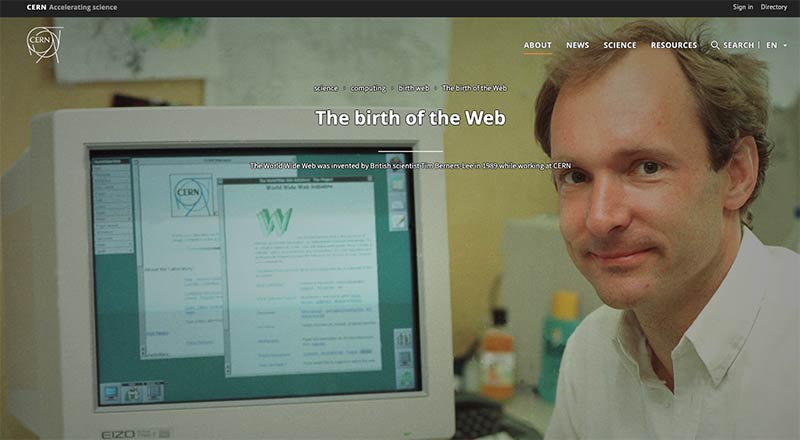
The first website ever created in 1991 by Tim Berners-Lee is still live today—and it’s incredibly simple!
Does Web Design Require Coding?
Now to the big question: Does web design require coding? The short answer is—it depends.
HTML, CSS, and JavaScript: The Basics
When we talk about coding in web design, we usually mean HTML, CSS, and JavaScript.
-
HTML (HyperText Markup Language): This is the basic structure of a website. Think of it as the skeleton—it tells the browser what content is on the page, such as headings, paragraphs, or images.
-
CSS (Cascading Style Sheets): CSS is what makes your website look good. It controls things like colors, fonts, and layouts. With CSS, you can turn a plain website into something visually attractive.
-
JavaScript: JavaScript adds interactivity to a site. Want buttons that change color when clicked? Or animations? That’s JavaScript at work.
When it comes to web design, HTML, CSS, and JavaScript are the foundational languages that most designers start with. They are essential for structuring, styling, and adding interactivity to a website. However, if you’re using templates or specific design frameworks, learning these languages might not always be necessary—but it’s definitely helpful.
For example, I use UIkit, a front-end framework similar to Bootstrap. This allows me to quickly customize the templates I work with, especially those built with Yootheme. UIkit makes it easy to modify the look and feel of a website by combining custom code with HTML, saving time while still giving you a unique, professional design.
While you don’t always need to know how to code, understanding frameworks like UIkit or Bootstrap can give you a lot more flexibility. Depending on the platform you're using for your website, having some coding knowledge—whether it's basic HTML or more advanced frameworks—will help you customize your site more effectively. Plus, with web technology constantly evolving, staying up-to-date with these tools can make your designs stand out.
Do You Need to Learn These Languages?
While it’s definitely possible to design websites without coding, knowing a bit of HTML and CSS can be really helpful. For example, if you’re a web designer (like me in Doncaster), understanding these languages means you can better communicate with developers and even make minor changes yourself, without needing to wait for technical support.
I Recommend The Basics!
If you’re building a simple website, you won’t need to learn coding—platforms like Squarespace handle it all for you. But if you want to make custom changes or design for others, learning the basics as you need them is a smart approach. Focus on what you’ll use, so you spend more time creating and less time studying!
No-Code Solutions: The Easy Way to Build Websites
Good news! You don’t need to know how to code to create a professional-looking website. Thanks to no-code solutions, you can use drag-and-drop tools to design your site without touching a single line of code.
Some popular platforms include:
- WordPress: One of the most popular website builders, WordPress is user-friendly and offers thousands of customizable themes.
- Wix: Another great platform, especially for beginners. Wix lets you design sites quickly with an intuitive interface.
- Squarespace: Known for its sleek, modern templates, Squarespace is a favorite among creatives.
With these tools, anyone can design a website in just a few hours!
AI in Web Design
AI is emerging as a powerful no-code tool for creating custom websites. While there isn’t a leading platform yet, big names like Wix and Squarespace are already integrating AI into their workflows, making it easier for users to design smarter, more personalized sites. For now, sticking with these established platforms is the best way to explore AI-driven web design.
Why Learning to Code is Still a Good Idea
While no-code platforms are fantastic, learning to code—even just a little—can give you more control over your website’s design and function. Here’s why you might still want to learn:
- More Customisation: With coding skills, you can create a truly unique site that stands out, rather than relying solely on templates.
- Better Collaboration: Understanding the basics of code means you’ll be able to communicate more effectively with developers.
- Increased Job Opportunities: If you’re considering a career in web design, knowing both design and development makes you a more competitive candidate.
Articles From The Web
If you're exploring website creation without coding skills, we've found some helpful articles that you'll find useful. Check out the links below to learn more about your options.
FAQs: Web Design and Coding
1. Can I design a website without coding?
Yes! No-code platforms like WordPress, Wix, and Squarespace make it easy to build websites without needing coding skills. However, knowing a bit of HTML and CSS can be useful for customization.
2. What is the difference between a web designer and a web developer?
Web designers focus on the look and feel of a website, including colors, fonts, and user experience. Web developers, on the other hand, handle the technical aspects of building and maintaining the site. Usually only large companies need to split this. Nowadays small to medium businesses have one web designer that can do both.
3. Do I need to learn JavaScript for web design?
Not necessarily. If your focus is on creating visually appealing sites, you can get by with just HTML and CSS. However, if you want to add interactive elements, learning JavaScript is a plus. It's also worth looking at templates and how they're coded before deciding on a language to learn. I've used both Bootstrap and UiKit withing a template to add my own customisation.
4. Are no-code platforms professional enough for business websites?
Absolutely! No-code platforms are used by businesses of all sizes, including many local businesses in Doncaster. They offer plenty of professional templates and features for creating a stunning website.
With so many templates available, choosing one that’s reliable and long-lasting is key. Free templates can be tempting, but they often lack regular updates, which can lead to bugs or compatibility issues, especially on platforms like WordPress. Investing in a high-quality template and learning from experienced developers is well worth it, ensuring your site remains functional and secure for years to come.
5. Should I hire a web designer or use a no-code tool?
If you're looking for a custom website that perfectly reflects your brand and goals, hiring a web designer is a smart choice. But if you’re after a budget-friendly option without complex features, no-code tools can be a great alternative. It also comes down to how much time you have. Learning web design takes time and effort, so if you're up for it, dive in! Otherwise, focus on what you do best and let us handle the rest. We’re here to guide you through website design, SEO, hosting, and marketing—just a phone call or email away. Contact Us
Conclusion
With so many options available today, building a website has never been easier—especially with no-code solutions. If you have the time and the willingness to learn, these tools are a great way to create your own website without coding knowledge. However, it’s important to consider what happens when things go wrong or your site needs maintenance and updates.
If you have the time and a limited budget, no-code platforms are definitely worth trying. But if you’d rather focus on growing your business and leave the web design to someone else, hiring a professional designer is a smart move. Meeting with a local designer can give you a clear idea of costs and ensure your website aligns with your business goals.
If you’re based in Doncaster and thinking of creating a new website, give us a call. Whether you’re exploring no-code options or need a custom solution, we’re here to help you every step of the way.